How to Complete Institutional Verification (KYB) via Web
Institutional Verification, a core KYB (Know Your Business) measure, is KuCoin TR's dedication to regulatory compliance and combating cybercrimes like fraud, money laundering, scams, and terrorist financing. As such, it is an extension of KYC (Know Your Customer) procedures. Here’s a detailed guide on how to submit application for Institutional Account on KuCoin TR platform.
Notice:All users must complete Identity Verification (KYC or KYB) to use KuCoin TR products and services.
Content
1. Submit Application for Institutional Account (Web)
2. Troubleshooting Unsuccessful Identity Verification
1. Submit Application for Institutional Account
Prerequisite: Log in to your KuCoin TR account via web or click here, select your profile’s Dashboard → Identity Verification → Application for Institutional Account
Step 1. Select Identity Verification → Application for Institutional Account
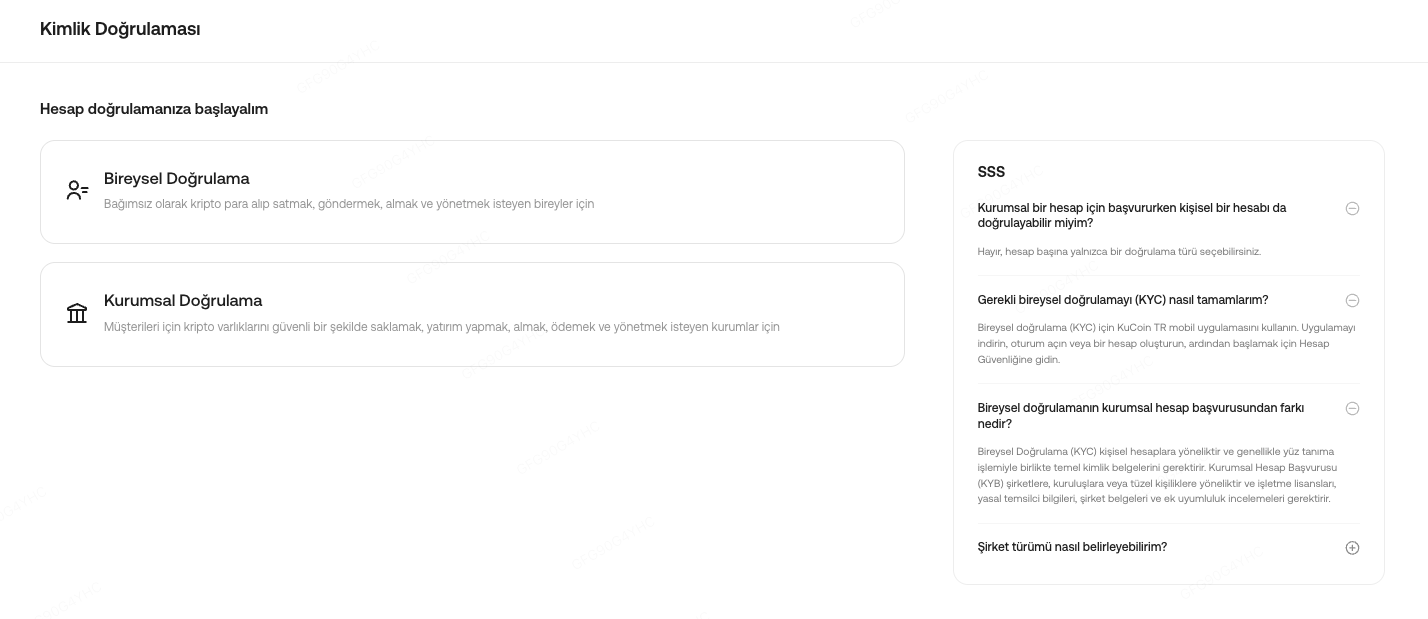
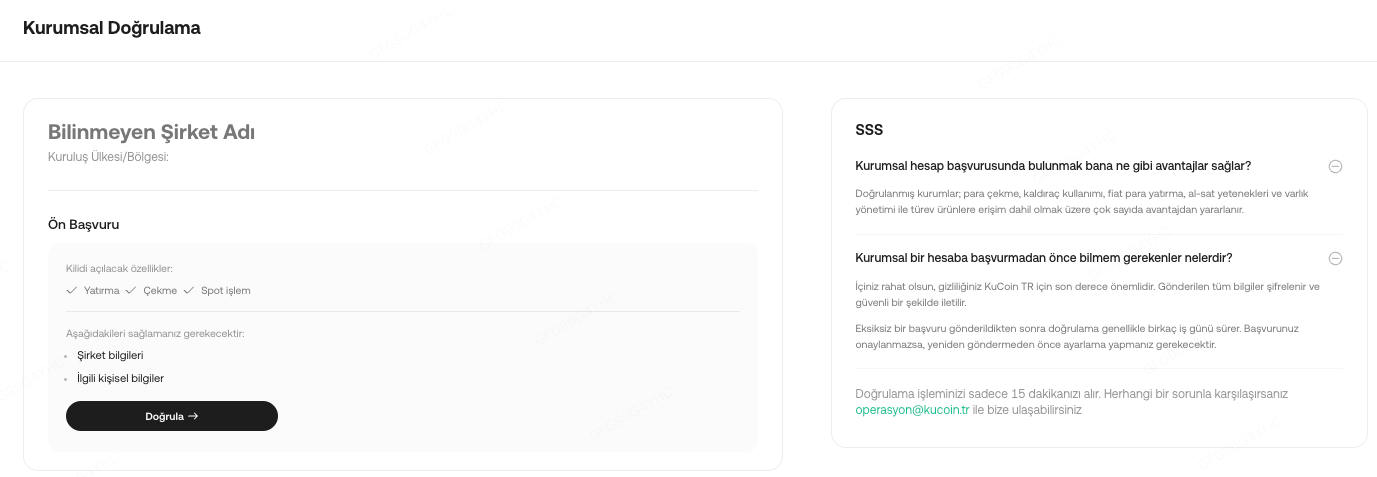
Step 2. Filling Out Required Information
Part 1: Company Information
Ensure all corporate information is accurately provided, then navigate through the sections by clicking "Next."
1.1.1 Basic Information (Mandatory)
- Corporation's name
- Company Email Address and Phone Number
- Tax Department
- Tax Identification Number
- Purpose of Account Opening
- Source of Funds/Wealth
- Estimated Number of Trades per Month
- Estimated Monthly Trading Volume
1.1.2 Applicant Full Name (Mandatory)
1.1.4 Company Corporation Documents (Mandatory)
- Trade Registry Certificate obtained from MERSİS
After submission, the relevant team will review your application, providing updates via the Identify Verification page or email (operasyon@kucoin.tr). During this period, your application status will display as "In Progress."
If your application is rejected, you can select "View Details" to identify the errors. Follow the instructions to make corrections and click "Retry" to resubmit. Alternatively, you can email operasyon@kucoin.tr to provide any required supporting documents.
1.2 Completing Institutional Verification by Sending Emails
If you encounter issues when submitting documents via the web, you can email our team at operasyon@kucoin.tr for assistance in application of Institutional Account.
2. Troubleshooting Unsuccessful Identity Verification (Web)
Encountering issues during the application for Institutional Account can be frustrating. Follow these steps to resolve common problems:
i. Update Your Browser: Ensure you are using the latest version of your web browser to avoid compatibility issues.
ii. Document the Issue: If the problem persists, take screenshots or record a video of your verification attempt to assist us in diagnosing the issue.
iii. Contact Support: Submit a support ticket with screenshots or recordings of the issue for further assistance. Our team is ready to help.
2.1 Tips for Uploading Documents
- Each document can only be used for verifying one KuCoin account.
- Supported formats: JPG, PNG, and PDF, with a file size limit of 20 MB.
- If the upload fails, check your network connection or try using a different browser.
2.2 Failed Verification Notification
If you receive a notification stating that your Identity Verification has failed:
- Log in to your account.
- Click your profile and navigate to the Identity Verification section to review the failure reasons.
- Click "Re-Verify" to resolve the issues and submit the correct information. Your resubmission will be expedited for review.
3.Frequent Asked Questions
Q: Can I switch from an individual account to an institutional account?
A: Individual accounts and institutional accounts cannot be converted between each other. If your account has completed individual verification, it cannot undergo institutional verification. Instead, you will need to register a new KuCoin TR account and apply for institutional account using athe new unverified account.
Q: How long does the review of the application typically takes?
A: Verification typically takes several business days after a complete application is submitted. If your application is not approved, you'll need to make adjustments before resubmitting.