How to Reset Login Password
You can update your login password on the app or website by following the steps below.
Content
1.How to Change Your Login Password
2.How to Reset Your Password (When Unable to Log In)
1. Change Login Password (When signed in)
Step 1: Open the KuCoin TR app or website. Navigate to your avatar on the app or Profile on the website, then click 'Security'.
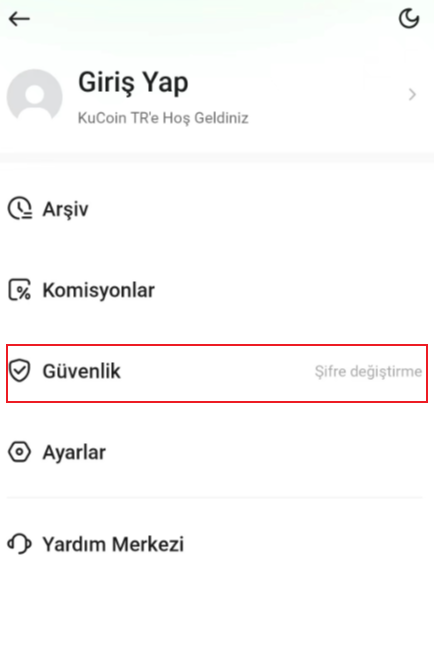

Step 2: Select 'Change' next to Login Password.
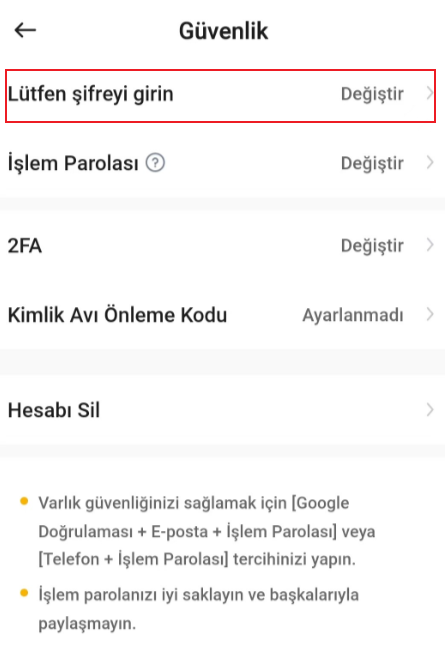

Step 3: Enter your current password, then set and confirm your new password. Click 'Change' to finalize the update.
Step 4: Your login password has now been successfully updated.
2. Forgot Login Password (When unable to log in)
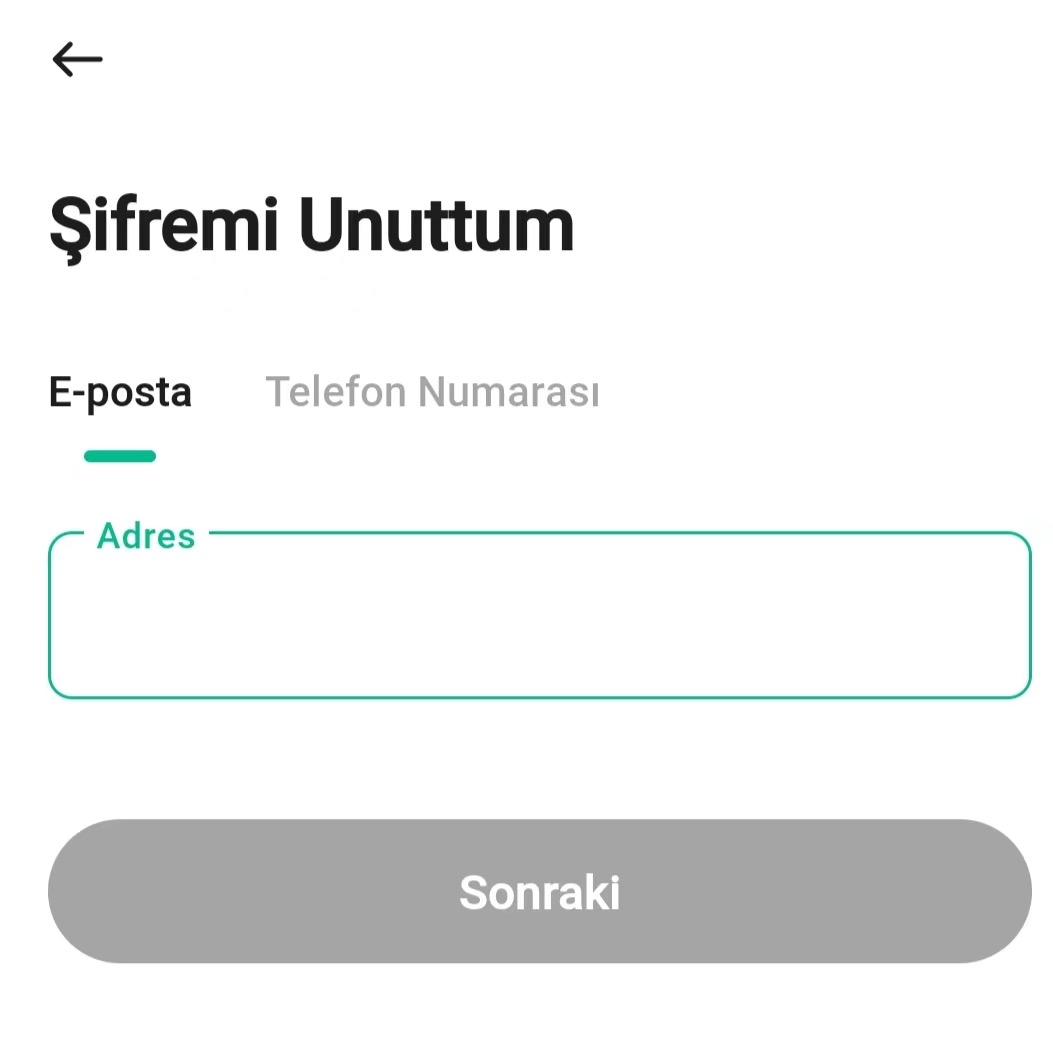
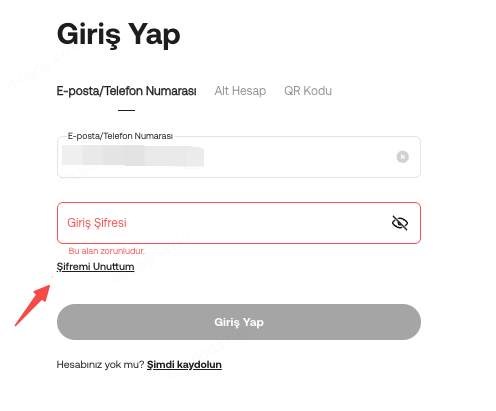
Step 2: Click 'Forgot Password?' and confirm 'Reset Password'.
Step 3: Complete the security verification. If you have lost access to certain security settings and cannot change your login password, click 'Verification Method Unavailable' to submit a request.

Notes:
a. If your account is registered with a phone number only, you may be required to link your account to an email address.
b. The withdrawal service will be suspended for 24 hours after resetting your password to protect account security.
c. Review of your account may take up to 48 hours to be completed.